
Displaying bicycle helmets in your shop: from browsing to advice
PublishedBy Diego – Pro Sport Lights
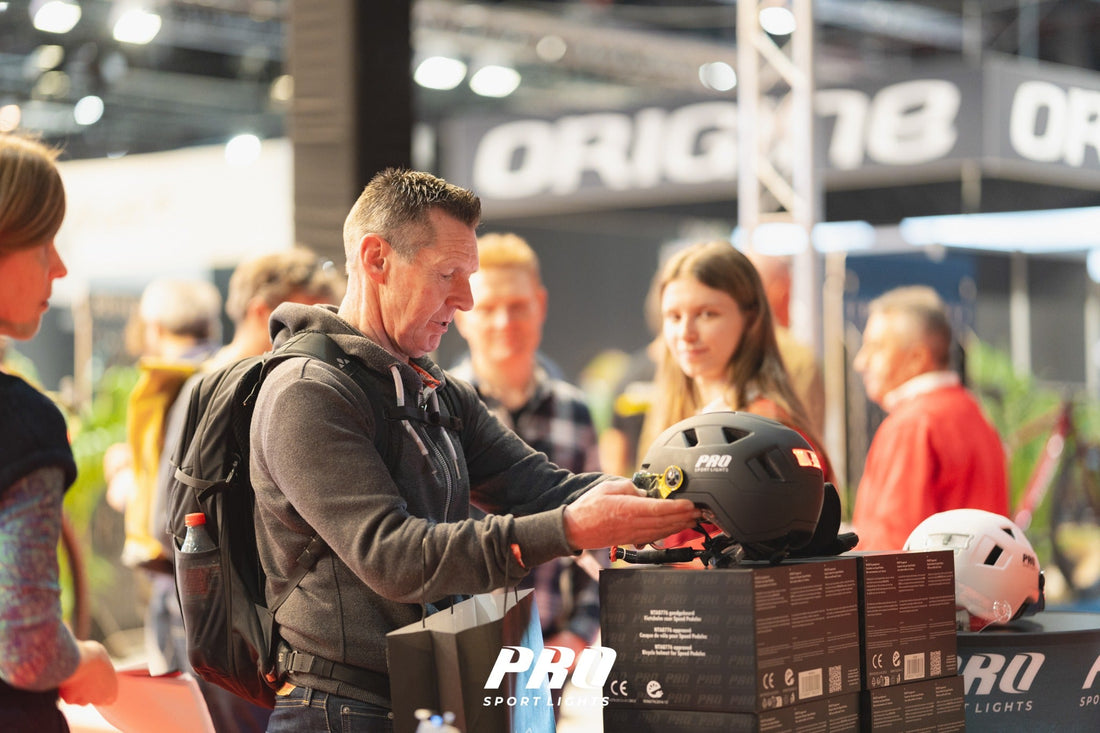
A customer sees a bicycle helmet with a visor and asks a simple question: “What is included?” If the answer is hidden on a box or only one staff member knows it, choosing becomes unnecessarily difficult. A good bicycle helmet display in your bike shop makes the equipment visible and helps your team start a focused advice conversation.
Below is a practical approach to your helmet area: what should you display together, what information belongs on a product card, and how do you keep demonstration equipment ready to use? You can apply this method to a small counter display or a dedicated area in your specialist bike shop.
1. Give your helmet area one clear purpose
First decide which question the display should answer. Do you want to introduce customers to helmets with visors? Clarify what equipment is included? Or show how the controls work? Choose one starting point and use a short, clear heading, such as “Discover a helmet with a visor”.
Position a demonstration helmet so that it is easy to pick up and put back. Leave space for conversation and fitting. A mirror and tape measure within reach prevent staff from having to search for equipment while advising a customer. Follow the instructions for the specific model for the rest of the fit check.
In a compact display, show one feature clearly rather than assorted loose parts with no explanation. Keep sales packaging and demonstration equipment clearly separate so colleagues know what can go home with the customer.
2. Use product cards that support a conversation
A product card does not need to replace the full product page. Provide the information needed to understand what is on display. Use the same sequence for every helmet:
- Model and size: write the model name in full and state the size range for that specific model.
- Main feature: describe in one short sentence what you can demonstrate here.
- Included: list the parts supplied as standard with this version.
- Optional: list compatible accessories chosen separately in their own section.
- More information: use a short link or QR code to direct people to the correct product page.
If you show a selling price, make sure it matches the current shop price and clearly identifies the version it applies to. Recheck cards whenever you change equipment, product information or prices. An old card beside a new item can cause confusion.
Example: a card for ClearView
ClearView – bicycle helmet with visor
Front and rear LED lighting.
Included: clear visor and dark sun visor.
Optional: Winter Kit with lining and ear warmers.
Demonstrate: changing the visor using the knobs, without tools.
This example is based on the current ClearView product information. Add the size of the displayed helmet to the card. Mention certification only for the model you have checked; do not place a general standards claim above the entire helmet rack.
3. Display accessories with their model name
A loose visor on the counter does not automatically tell customers which helmet it belongs to. Give each part a clearly identifiable place with the model name. Display included accessories alongside the demonstration model and mark optional additions separately.
ClearView includes a clear visor and a dark visor, while the Winter Kit is available separately. The current product information also states that ClearView visors are not interchangeable with ICE visors. A general box of “extra visors” is therefore not enough to help someone choose the right part.
Record the size of winter accessories too. Choose the ClearView Winter Kit in the same size as the helmet and recheck the fit, because extra lining takes up space. For the available product groups, see the Pro Sport Lights B2B catalogue.
4. Make the demonstration repeatable for your team
Prepare a short demonstration together that every colleague can carry out. Start by asking what the customer would like to see. Then show one feature and let the customer explain whether it suits the use they have in mind.
With a ClearView, for example, you can show the two visors, explain which visor comes with the helmet and demonstrate the knob attachment. Follow the current instructions: tighten carefully, not too firmly, and do not force a stuck part. A QR code linking to the product page gives staff and customers access to the relevant explanation and video.
For lighting, show how to operate it and check beforehand that the battery is sufficiently charged. Explain that helmet lighting provides additional visibility and does not replace bicycle lights. A demonstration is also an opportunity to collect questions you still need to discuss with the supplier.
5. Check the display at the start of the day
Make one staff member responsible for a quick check and agree who will take over when they are absent. For example, use this regular checklist:
- Is each demonstration model next to the correct card?
- Are visors, controls and loose parts present and in good condition?
- Are the lights ready to demonstrate?
- Are the mirror, tape measure and product information within reach?
- Do the QR codes work and link to the correct model?
Clean demonstration equipment according to the product instructions. Remove a damaged item from the display and have it assessed before deciding what to do with it. This keeps it clear which equipment can be used for fitting and explanations.
6. Evaluate what information customers need
Note recurring questions during the week. Do several visitors ask whether ear warmers are included? Make that distinction more visible on the card. Do people keep asking which model a loose visor belongs to? Improve the label beside that part.
Then change one element of the display and discuss with colleagues whether the information has become clearer. For selecting models and covering the size range, read our guide to building a helmet range for your bike shop.
Discuss your shop display at Velofollies 2027
Bring a photo of your current helmet area, the available dimensions and your customers’ main questions. This allows us to discuss specifically how the PSL range fits into your bike shop and what display or support you are looking for. We discuss options and partnership terms in person.
You will find Pro Sport Lights at stand 446 during Velofollies, from 22 to 24 January 2027 at Kortrijk Xpo. See our invitation for bike shops and dealers and the official show information.
See you at stand 446!
Diego – Pro Sport Lights
Image: Pro Sport Lights, own photo archive.